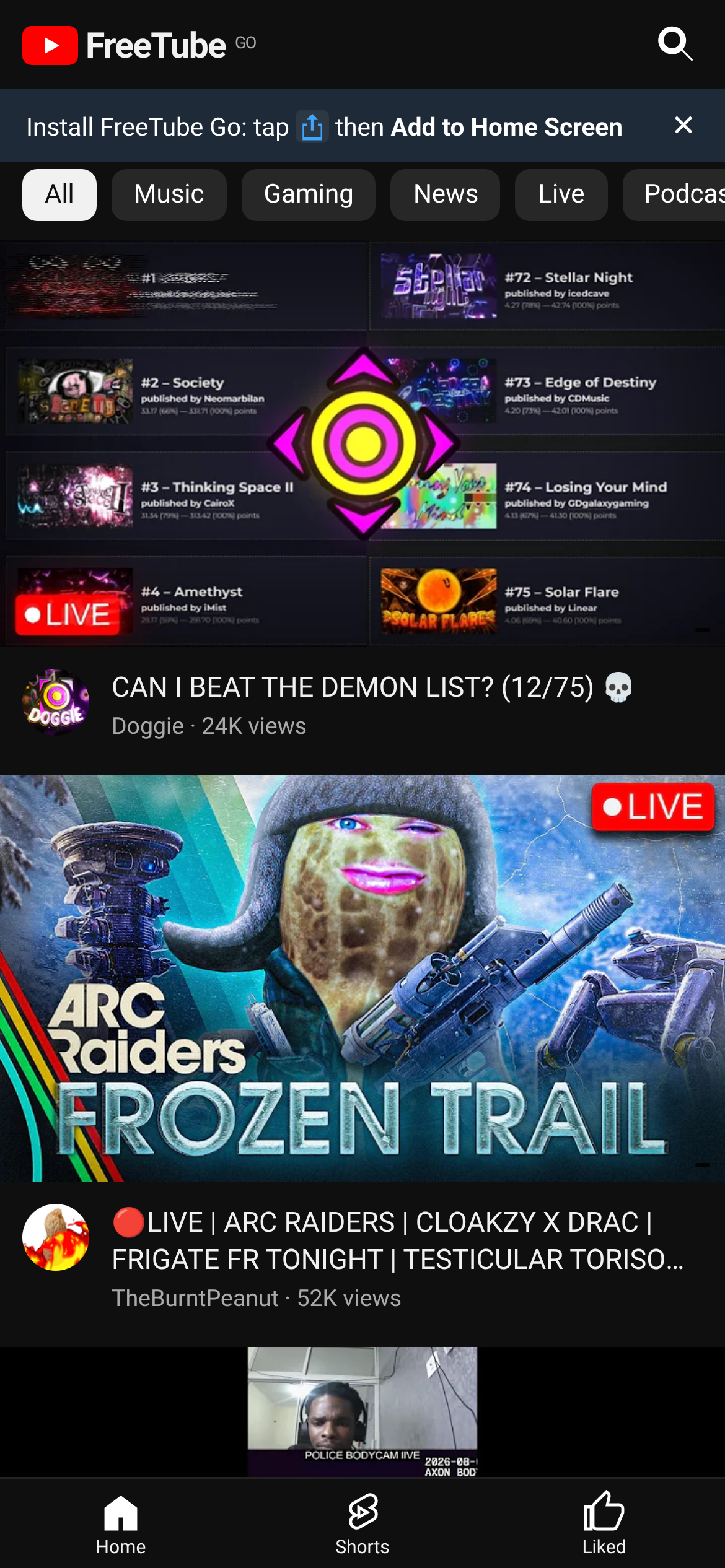
YouTube without the ads.
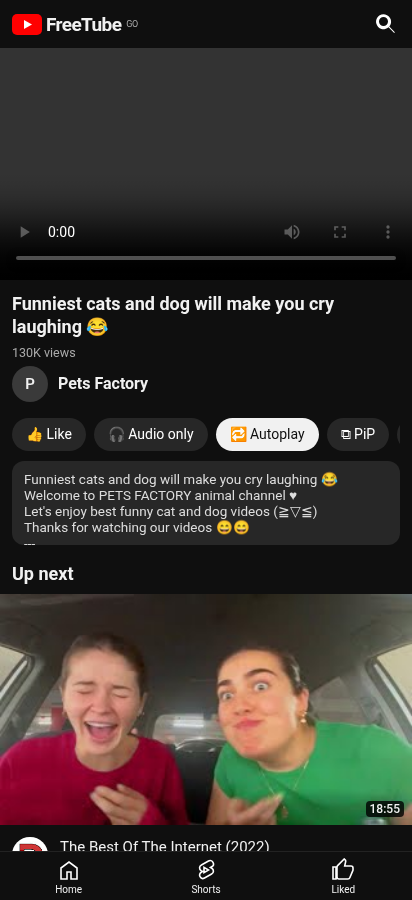
Watch videos and Shorts with no ads and no account. Keeps playing when you lock your phone. Free.
No ads
No pre-rolls, no banners.
Background play
Switches to audio when you leave the app.
No login
Likes and Watch later stay on your phone.
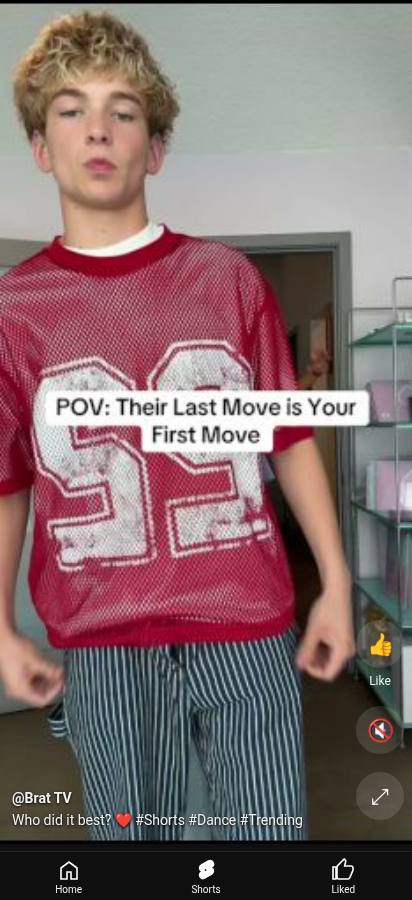
Shorts
Swipe through Shorts like in YouTube.
- Open freetube-go.vercel.app in Safari.
- Tap the Share button (square with an arrow).
- Tap Add to Home Screen, then Add.
- Tap Download for Android above.
- Open the downloaded file and allow installing from your browser if asked.
- Updates install from inside the app.
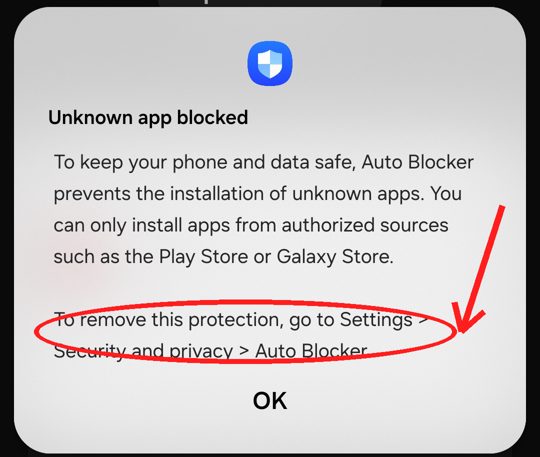
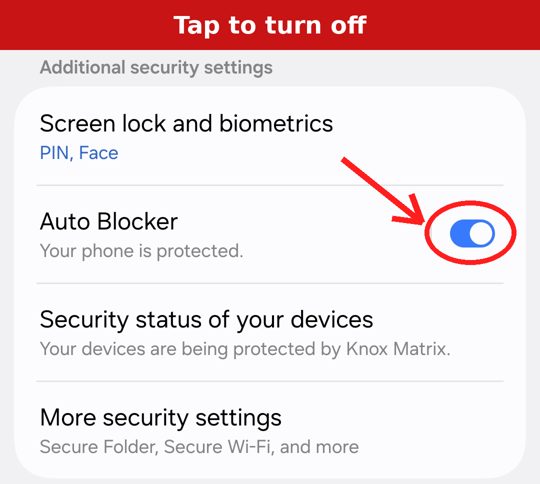
- Samsung: if you see "Unknown app blocked", go to Settings > Security and privacy > Auto Blocker and turn it off. You can turn it back on after installing.
- Any Android: when asked, allow your browser (Chrome, Samsung Internet) to Install unknown apps. Or go to Settings > Apps > your browser > Install unknown apps.
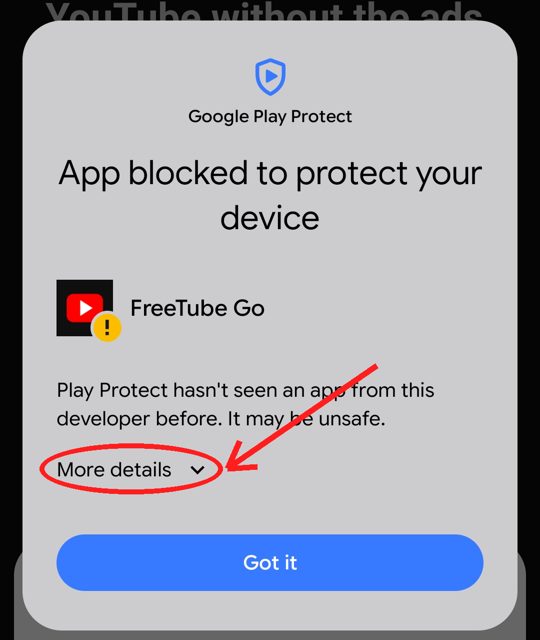
- If Play Protect says "App blocked to protect your device", tap More details, then Install anyway (not "Got it"). It warns because the app isn't on the Play Store.
- Then open the downloaded FreeTubeGo.apk again.
Turn off Auto Blocker
Samsung blocks apps that aren't from the Play Store or Galaxy Store, and may show this:
1. Open Settings > Security and privacy.
Open SettingsIf Open Settings does nothing, open the Settings app yourself.
2. Scroll down to Auto Blocker under Additional security settings.
3. Tap the switch to turn it off:
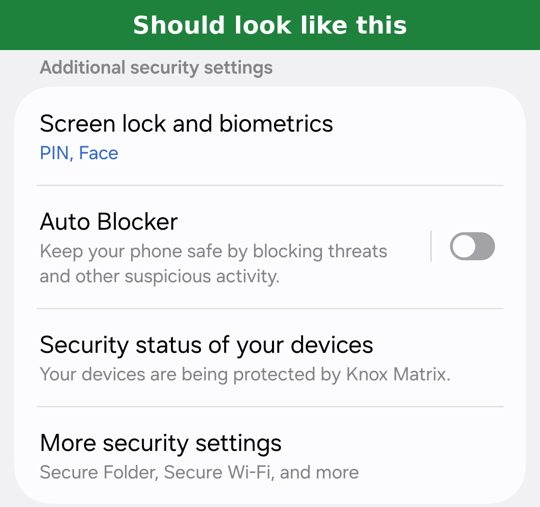
4. Come back here and tap Next. You can turn Auto Blocker back on after installing.
Download the app
Tap the button below. When it finishes, tap the notification or open FreeTubeGo.apk from Downloads.
⬇ Download FreeTubeGo.apkAllow installing
If your phone asks, tap Settings and turn on Allow from this source (Install unknown apps) for your browser. Then go back and tap Install.
"App blocked to protect your device"
If Google Play Protect shows this, don't tap "Got it". First tap More details:
Then tap Install anyway:
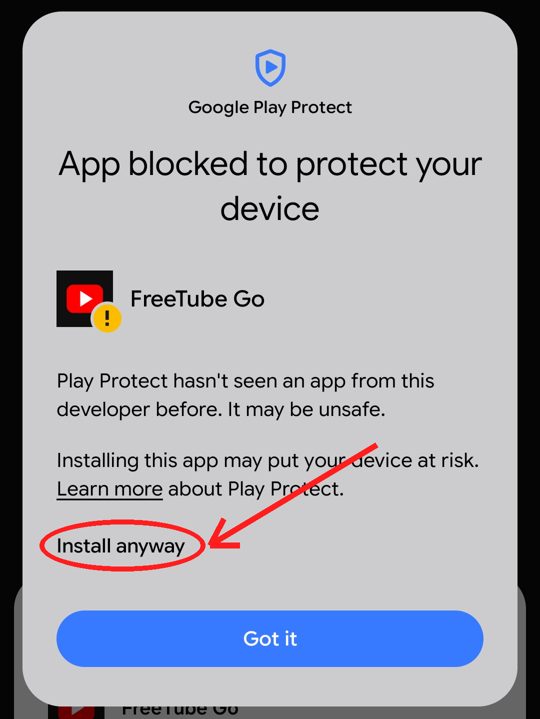
This warning shows because FreeTube Go isn't on the Play Store, so Google hasn't checked it.
Open the app 🎉
Tap Open, or find FreeTube Go on your home screen. Future updates install from inside the app.